RLI - An interactive CLI for interacting with the Runloop.ai platform
rli released! rli is a TUI for developers who want the ability to manage devboxes without leaving their terminal, scriptable commands for automation, and faster workflows for repetitive tasks
Introducing our new Runloop CLI (rli): Your Terminal-Native Devbox Manager
For developers who live in the terminal, we're excited to announce rli. It's a powerful, terminal-native supplement to the Runloop Dashboard for managing your devboxes, snapshots, and blueprints.
The Runloop Dashboard provides a comprehensive visual interface, but we are delivering rli for developers who wanted something different: the ability to manage devboxes without leaving their terminal, scriptable commands for automation, and faster workflows for repetitive tasks.
The Runloop CLI offers flexibility through two distinct interfaces depending on your needs.
Interactive Mode: Terminal UI
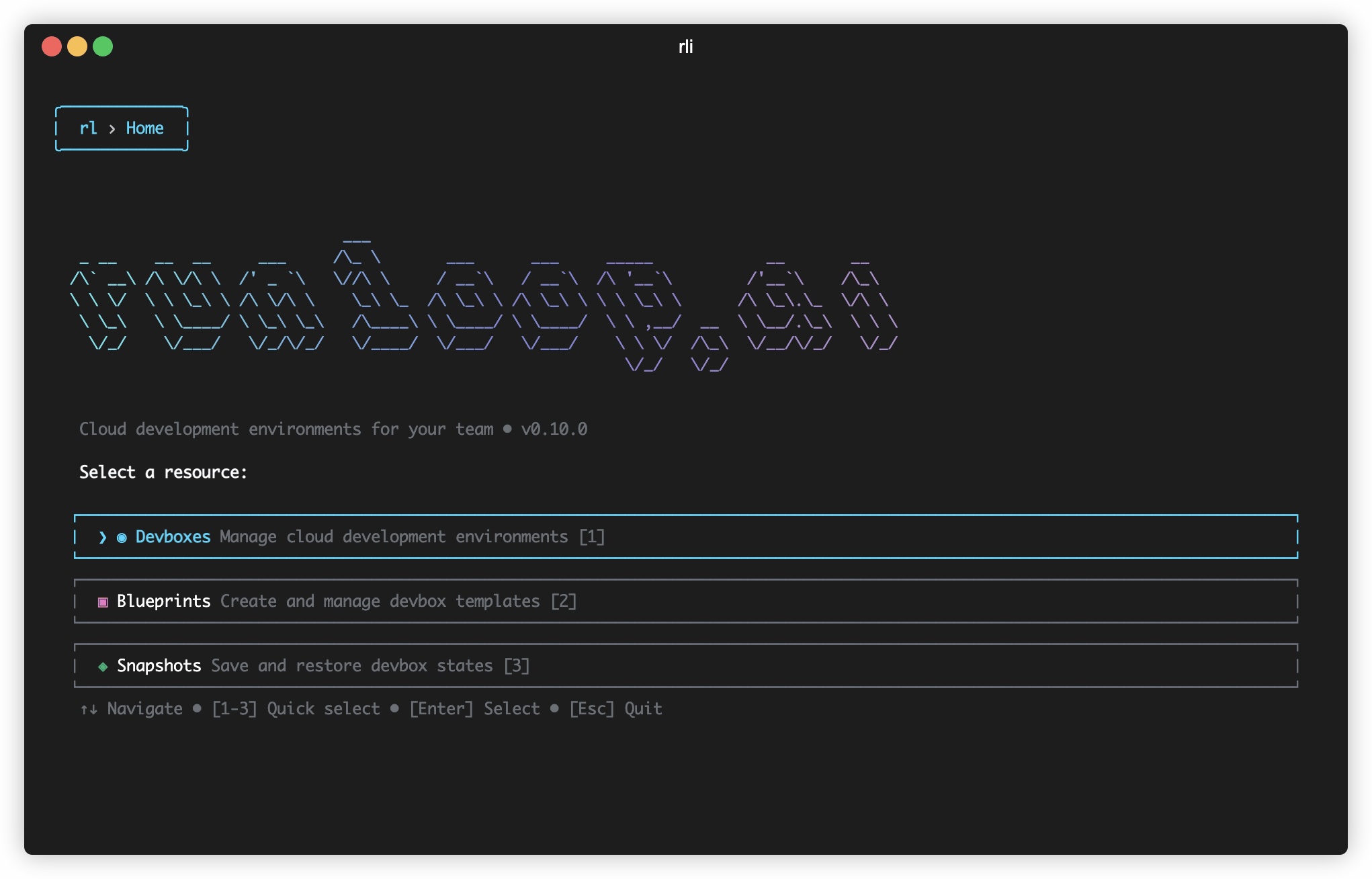
Launch rli and you'll enter an interactive terminal UI that brings visual clarity into your terminal. Navigate with arrow keys, search with /, and manage all your resources without memorizing commands.
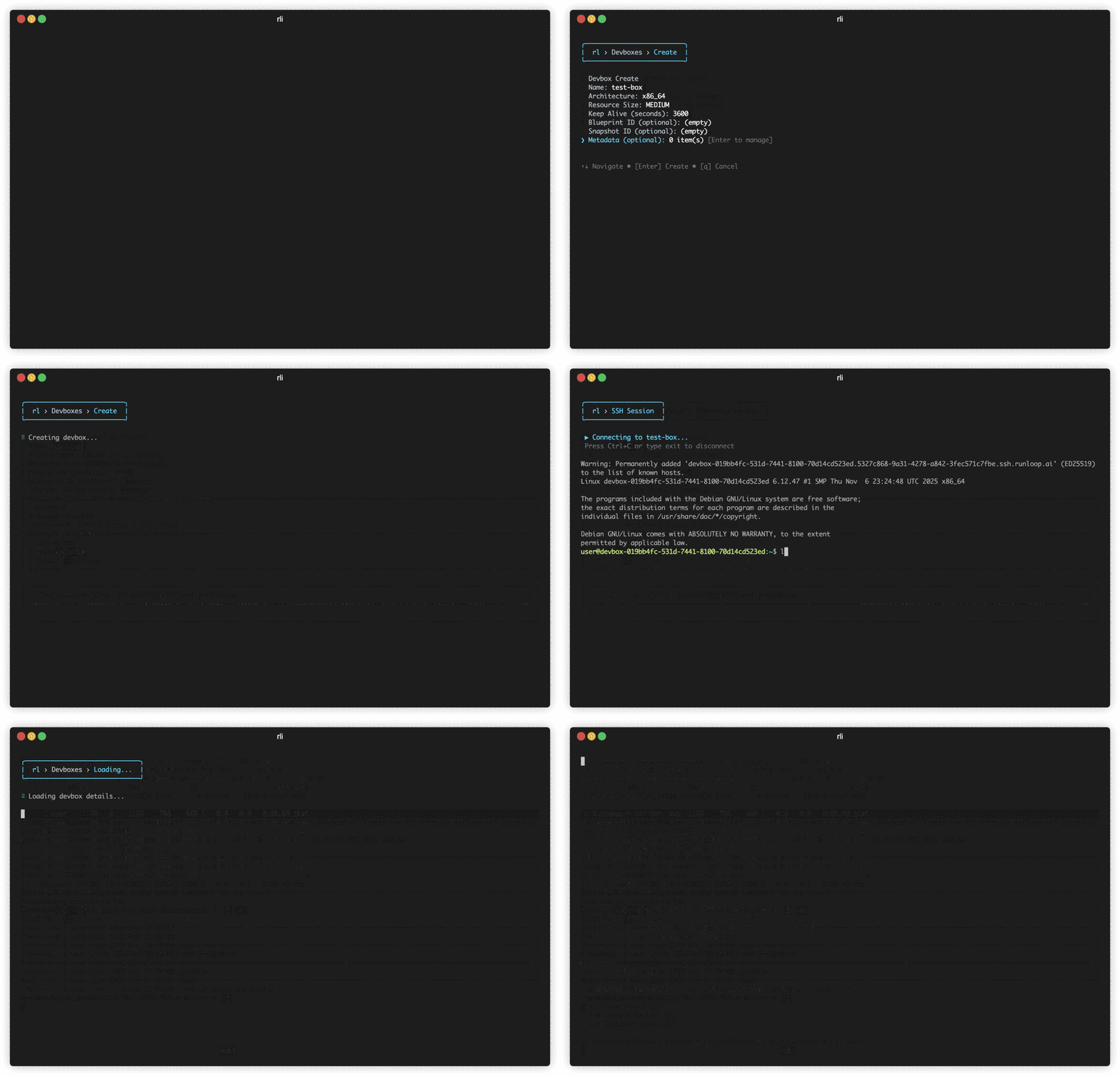
The interactive mode excels when you're exploring your devboxes, need to quickly SSH into a running environment, or want to check the status of multiple resources at a glance. Press / to search through devboxes by name or ID, select any devbox, and choose operations like SSH, suspend, resume, or shutdown - all without typing commands.
The TUI provides real-time status updates, pagination for large lists, and a clean interface that adapts to both light and dark terminal themes. You can view logs, manage snapshots, create new blueprints, and execute commands - all within the same interactive session.
CLI Mode: Traditional Commands
For scripting and automation, traditional CLI commands give you full programmatic control. Every command supports multiple output formats including JSON, YAML, and plain text, making them perfect for piping into other tools or processing with utilities like jq.
The CLI mode shines in CI/CD pipelines, batch processing scripts, and when you need to capture output for further processing. You get the same full feature set as the interactive mode, but optimized for automation workflows.
Core Features managed by rli
Devbox Management
Create devboxes with fine-grained control over resources, environment variables, launch commands, and idle behavior. Choose from resource sizes ranging from X_SMALL to XX_LARGE, specify custom blueprints, inject environment variables, and configure automatic suspend or shutdown for cost optimization.
SSH access is seamlessly integrated - the CLI handles all authentication, key management, and connection details automatically. You can also get SSH configuration for use with other tools like rsync or scp.
File operations are straightforward with dedicated commands for uploading, downloading, and syncing files between your local machine and devboxes. The CLI supports direct API-based file operations for smaller files and SSH-based transfers for larger datasets.
Execute commands synchronously for immediate feedback or asynchronously for long-running processes. The async execution model lets you start training jobs, close your terminal, and check status later - perfect for overnight experiments or batch processing.
Snapshots
Snapshots capture the complete filesystem state of a devbox, creating immutable checkpoints you can always return to. This is invaluable for reproducing bugs in exact environments, creating multiple identical training environments for experiments, sharing working states with teammates, or rolling back after configuration mistakes.
Create snapshots at any point, then use them as templates to spawn new devboxes with identical configurations. The CLI makes it simple to list, inspect, and manage all your snapshots, with filtering by source devbox.
Blueprints
Blueprints are reusable devbox templates that ensure consistency across your environments. Create them with Dockerfiles or system setup commands, configure resources and ports, and set user permissions and architecture preferences.
The blueprint system supports extensive configuration including custom users, root access control, architecture selection between arm64 and x86_64, and available port definitions. Once created, blueprints can be used across your team to guarantee everyone spins up identical development environments.
The CLI includes a prune command to manage storage by deleting old blueprint builds while preserving your most recent successful versions.
Advanced Capabilities
Port tunneling lets you forward local ports to services running in your devboxes, making development and debugging seamless. Create single port forwards or tunnel multiple ports simultaneously.
Log viewing gives you real-time access to devbox logs and blueprint build logs, essential for debugging and monitoring. Direct file operations via API provide quick read/write access for smaller files without SSH overhead.
The object management system lets you upload, download, and organize files and datasets with support for various content types and public/private access controls.
Integration and Automation
Every command outputs structured data perfect for integration with existing tools and workflows. JSON output works with jq for filtering and transformation. YAML format is ideal for generating configuration files. Text mode provides human-readable output for interactive use.
For AI-powered workflows, the CLI includes a Model Context Protocol server that allows AI assistants like Claude to interact with your devboxes through natural language. Install the MCP configuration and you can ask Claude to manage devboxes, execute commands, or retrieve information - all conversationally.
Getting Started
Installation is simple. The CLI is distributed as an npm package, so you can install globally and start immediately. Configure your API key from your Runloop settings, then launch the interactive mode or start running commands.
The interactive TUI is the fastest way to explore what's possible - launch it, browse your devboxes, try SSH access, create a snapshot, or experiment with blueprints. When you're ready to automate, the same operations are available as CLI commands.
Full documentation is available at docs.runloop.ai covering every command, parameter, and use case. The CLI is open source on GitHub where you can report issues, request features, or contribute improvements.
What's Next
The Runloop CLI represents our commitment to meeting developers where they work. We've built a tool that feels natural in the terminal while providing the full power of the Runloop platform.
We want to hear how you use the CLI. What workflows does it enable? What features would make it even better? Open issues on GitHub, share your automation scripts with the community, or reach out to our team directly.
Try the Runloop CLI today. Install it, explore the interactive mode, and discover how terminal-native devbox management can accelerate your workflows.




.png)