Today we’re launching MCP Hub: a secure, unified endpoint interface for AI agents that use MCP servers. This allows your agent to use many different MCP services, each with their own protected authentication credentials, all using a single, secure interface.
MCP was the very first protocol to enable agents to make use of external systems and it quickly became the de facto way for agents to use external resources. Today it’s not uncommon for agents to use multiple MCP servers at once. For example, a personal organization agent might need to check your calendar, write emails, or search for restaurant recommendations. Unfortunately, however, MCP has several critical flaws that have limited industry adoption:
- Authentication needs to be performed for every MCP connection
- Authentication keys therefore need to be securely managed
- Unused tools listed in MCP endpoints fill the agent’s context window with junk before reasoning starts
Prior to MCP Hub, solving each of these operations required individual credential management and scoping rules, but this proved brittle and hard to manage. We’re pleased to announce that MCP Hub solves these problems, letting you use MCP the way it was originally intended: as tools for your agent.
Trustless MCP
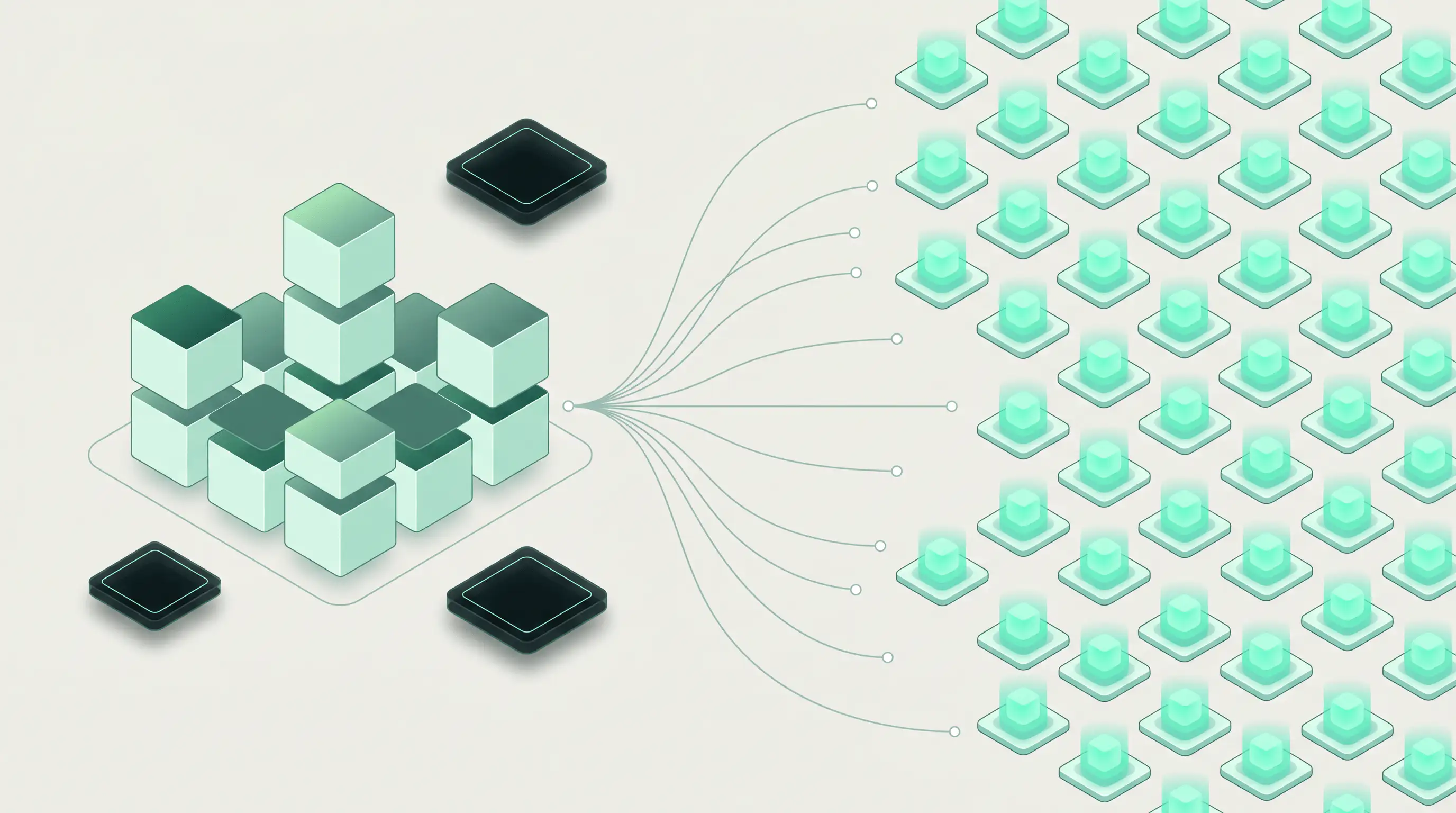
MCP Hub changes the interaction pattern between agents and remote services. It consolidates secure agent access to external resources and reduces context bloat from unused tools. MCP Hub sits between the agent’s devbox and each of your multiple upstream MCP providers, providing a secure gateway to the outside world. This solves several of the more pernicious issues with agents needing to use multiple MCP servers:
- Credentials for MCP servers need to be securely managed.
With MCP Hub, credentials are managed for you at infrastructure-level. - Context bloat from adding large numbers of MCP services
Instead, MCP Hub includes only the required tools - When combined with Network Policies, you can restrict agent MCP service to safe endpoint operations
MCP Hub provides the foundation for trustless MCP: instead of trusting your agent to do the right thing you can provide infrastructure controls to be certain.
How it Works
Under the hood MCP Hub is an L7 proxy to outbound MCP servers. Instead of authenticating to each MCP server separately, the devbox gets a single, one-time token that it uses to talk to MCP Hub. Policies and credentials stay fully hidden from the devbox and are fully protected at all times: your agent cannot steal or exfiltrate your API keys because they never exist on the devbox.
Who's it for
If you’re using MCP in production, or thinking about doing so, you should get started with MCP Hub right away. Agents work much better with tools, but using MCP correctly is challenging: particularly if you use multiple MCP servers or have an agent that has access to sensitive or destructive endpoints. If this sounds familiar, you should consider adoption immediately. Note that security & compliance considerations aren’t the only reasons to adopt MCP Hub. If your team is already using MCP you can realize the following benefits:
- Standardized AI tooling across multiple MCP providers
- Policy constrained tool access for devboxes
- Simpler wiring with centralized control
Using MCP Hub
Getting started with MCP Hub is a 3 step process. This typescript example shows how to enable your agent with MCP Hub to read from GitHub and write to Slack using a single interface:
1. Create an MCP config & tool access profile:
import { RunloopSDK } from "@runloop/api-client";

const sdk = new RunloopSDK();

// create the MCP config to access GitHub
const githubConfig = await sdk.mcpConfig.create({
    name: "github-example",
    endpoint: "https://api.githubcopilot.com/mcp/",
    // note we are enabling read-only endpoints
    allowed_tools: ["github.search_*", "github.get_*"],
    description: "GitHub MCP server",
});

// MCP config to access slack notifications (post-only)
const slackConfig = await sdk.mcpConfig.create({
    name: "slack-notify",
    endpoint: "https://slack-mcp.example.com",
    // in this example we only allow posting messages for slack
    allowed_tools: ["slack.post_message"]
});

// Create the GitHub authentication secret.
// Once created, the secret values will be hidden from the agent.
await sdk.api.secrets.create({ name: "GITHUB_MCP_TOKEN", value: process.env.GITHUB_PAT });
await sdk.api.secrets.create({ name: "SLACK_MCP_TOKEN",  value: process.env.SLACK_AUTH_TOKEN });
2. Create a devbox using the MCP config.
const devbox = await sdk.devbox.create({
    name: "multi-mcp-agent",
    mcp: {
        GITHUB_MCP_SECRET: { mcp_config: githubConfig.id, secret: "GITHUB_MCP_TOKEN" },
        SLACK_MCP_SECRET: { mcp_config: slackConfig.id, secret: "SLACK_MCP_TOKEN" },
    }
});

// The devbox receives:
//   $RL_MCP_URL     — shared endpoint
//   $GITHUB_MCP_SECRET  — opaque token for GitHub tools
//   $SLACK_MCP_SECRET   — opaque token for Slack tools
3. Register & use each MCP server from inside the box:
# register each MCP service:
claude mcp add github-mcp --transport http "$RL_MCP_URL" --header "Authorization: Bearer $GITHUB_MCP_SECRET"
claude mcp add slack-mcp  --transport http "$RL_MCP_URL" --header "Authorization: Bearer $SLACK_MCP_SECRET"


# tell claude to perform a task that uses each MCP service:
claude \
  --mcp-server github-mcp \
  --mcp-server slack-mcp \
  -p "Use the github search tool to search for repositories or code \
mentioning 'runloop', count the total results, then use the slack tool \
to send a message to #general saying 'I found X versions of runloop' \
where X is the count you found."
What’s Next
Check out the full documentation and find out more about MCP Hub.
SDK References:
As always, please let us know if you have any questions or feedback on MCP Hub: support@runloop.ai.
We can’t wait to see what you’ll build





.png)