Security and Control for AI Agent Workloads
When running AI agents in production, controlling network access is critical. Whether you're ensuring compliance with security policies, protecting sensitive data, or preventing unexpected costs from unrestricted network usage, you need fine-grained control over what your devboxes can reach.
Most sandbox providers leave you to manage network security through manual firewall rules or infrastructure configurations—complex, error-prone approaches that don't scale as your agent fleet grows. If a devbox needs to access only specific APIs but has unrestricted access, you're exposed to unnecessary risk.
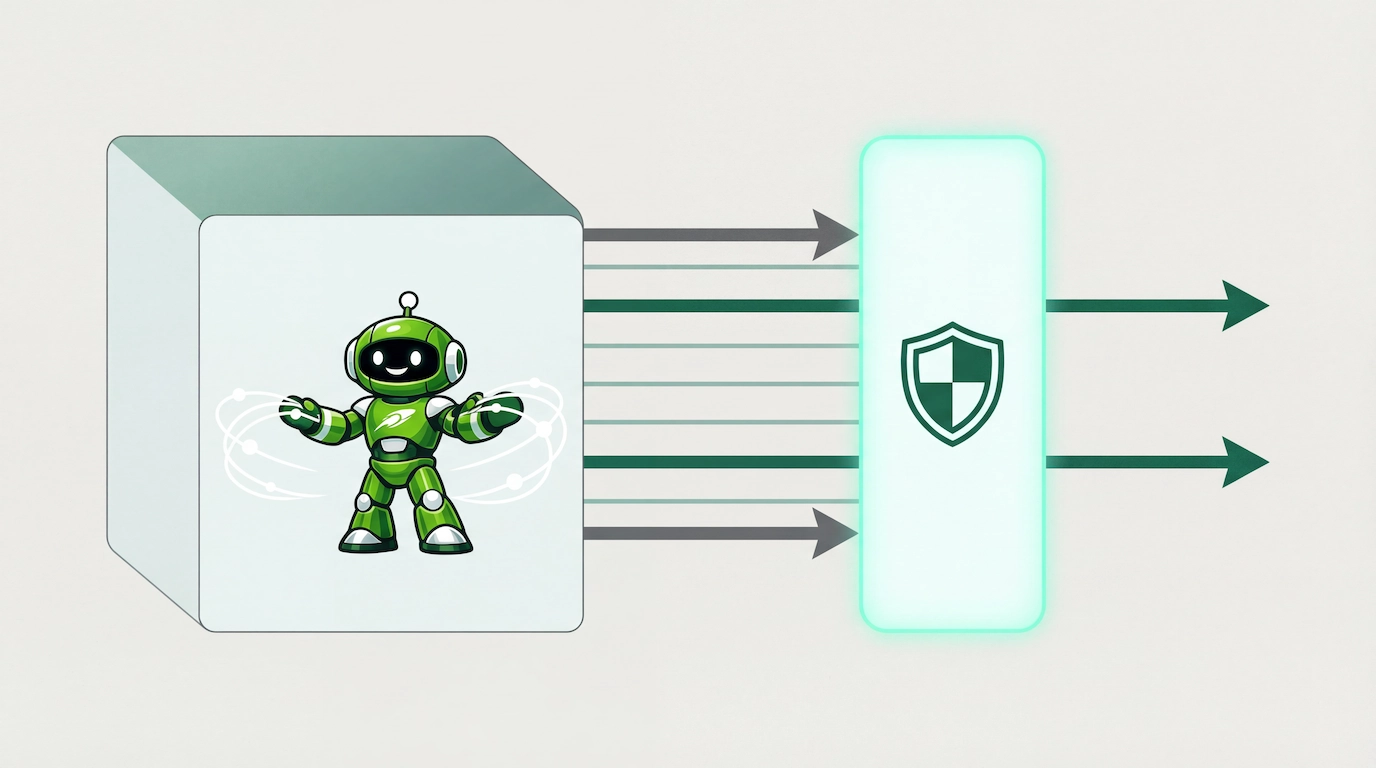
Runloop solves this with Network Policies. Define exactly which hostnames your devboxes can access, block external traffic entirely, or enable secure communication between your devboxes—all through a simple SDK. Your policies are enforced automatically, with changes propagating across all resources using them.
Comprehensive Network Control
Network Policies give you:
- Granular hostname allowlists with wildcard support for flexible configuration
- Deny-all policies for completely isolated environments
- Devbox-to-devbox communication for secure multi-agent workflows
- Blueprint-level policies that apply during both build and runtime
- Instant policy updates that propagate to all active devboxes
Get Started: Creating Your First Network Policy
Using Network Policies is straightforward with our SDKs. Here's how to create a policy that restricts a devbox to only the services it needs:
import asyncio
from runloop_api_client import AsyncRunloopSDK

async def main():
   runloop = AsyncRunloopSDK()

   # Create a restrictive policy for an AI agent
   policy = await runloop.network_policy.create(
       name="ai-agent-production",
       allow_all=False,
       allowed_hostnames=[
           # LLM APIs
           "api.openai.com",
           "*.anthropic.com",
           # Code repositories
           "github.com",
           "*.github.com",
           # Package registries
           "*.npmjs.org",
           "pypi.org"
       ],
       description="Production policy for AI coding agents"
   )

   print(f"Created policy: {policy.id}")

   # Create a devbox with the policy applied
   devbox = await runloop.devbox.create(
       name="secure-agent-devbox",
       launch_parameters={
           "network_policy_id": policy.id
       }
   )

   print(f"Devbox {devbox.id} is now restricted to approved hosts only")

asyncio.run(main())
Your devbox now has precisely controlled network access, enforced from the moment it starts.
Using Network Policies in Practice
Apply to your devbox
When creating your devbox, pass the policy ID in launch_parameters:
devbox = await runloop.devbox.create(
   name="review-agent",
   launch_parameters={
       "network_policy_id": policy.id,
       "launch_commands": [
           "pip install openai pygithub",
           "python review_agent.py"
       ]
   }
)
Verify enforcement
The policy is enforced immediately. If your agent tries to access an unauthorized host, the connection will be blocked:
# This will work - github.com is allowed
result = await devbox.execute_command("curl https://api.github.com")

# This will fail - example.com is not in the allowlist
result = await devbox.execute_command("curl https://example.com")
Network Policy Configuration Options
Network Policies offer several controls to match your security requirements:
Allow All: For development or testing environments, you can create unrestricted policies that permit all network access. This is the default behavior when you don't specify a policy.
Deny All: Create completely isolated environments with no external access by setting allow_all=False with an empty hostname list. This is useful for processing sensitive data where external communication must be prohibited.
Specific Hostname Allowlists: Define exactly which services your devboxes can access. This is the recommended approach for production workloads—start restrictive and add only the hosts your agents need.
Wildcard Hostname Matching: Use wildcards to allow entire subdomains (e.g., *.github.com allows api.github.com, gist.github.com, etc.). Wildcards only work in the first label of the hostname.
Devbox-to-Devbox Communication: Enable secure communication between your devboxes via tunnels for distributed workflows. When enabled, devboxes with the same policy can communicate with each other while remaining isolated from unauthorized external services.
Blueprint Integration: Apply policies at two levels—during blueprint builds to restrict what can be accessed while building your environment, and at runtime for all devboxes created from that blueprint. Runtime policies can be overridden on a per-devbox basis when needed.
Live Policy Updates: When you update a network policy, all running devboxes and blueprints using that policy receive the changes automatically. Updates are eventually consistent and propagate within moments.
Policy Management: You can list all policies, inspect their configurations, update them as requirements change, and delete policies that are no longer needed (as long as they're not currently in use).
Why Network Policies Matter
This feature addresses a fundamental challenge: AI agents need controlled access to external resources. Without proper network policies, you face:
- Security risks: Unrestricted agents can access unintended services or leak data
- Compliance violations: Regulated industries require strict control over data flows
- Cost surprises: Agents making unexpected API calls can drive up costs
- Debugging nightmares: Unknown network dependencies make issues hard to diagnose
Network Policies solve these problems by making network access explicit, auditable, and enforceable.
Best Practices
- Start restrictive: Begin with
allow_all=False and add only required hosts - Name policies clearly: Use names like "production-agent" or "eval-restricted"
- Document your allowlists: Use the description field to explain why hosts are allowed
- Test before deploying: Verify agents work with policies in development environments
- Use blueprints for consistency: Apply policies at the blueprint level for standardized security
- Review regularly: Audit policies periodically to remove unnecessary access
- Leverage wildcards carefully:
*.example.com grants broader access than you might expect
What's Next
Network Policies are available now for all Runloop users.
We built this feature because securing AI agent infrastructure shouldn't require complex networking expertise. Now you have a simple, declarative way to control network access that works across your entire agent fleet.
Check out the full documentation:
We can't wait to see how you use Network Policies to build more secure, compliant, and cost-effective AI agent systems.
Have questions or feedback? We'd love to hear from you.




.png)