Axons are now available: Runloop’s infrastructure primitive for coordinating agent sessions at scale.
Today we’re introducing the infrastructure behind Axons: Runloop's event stream for managing sessions using a SQLite database, lifecycle controls, and platform integrations. Axons make long-lived, multi-client agent workflows viable in production. This post focuses on the core system: what we built and why we built it. We’ll share more on how to get started using our SDK in a follow-up.
What are Axons?
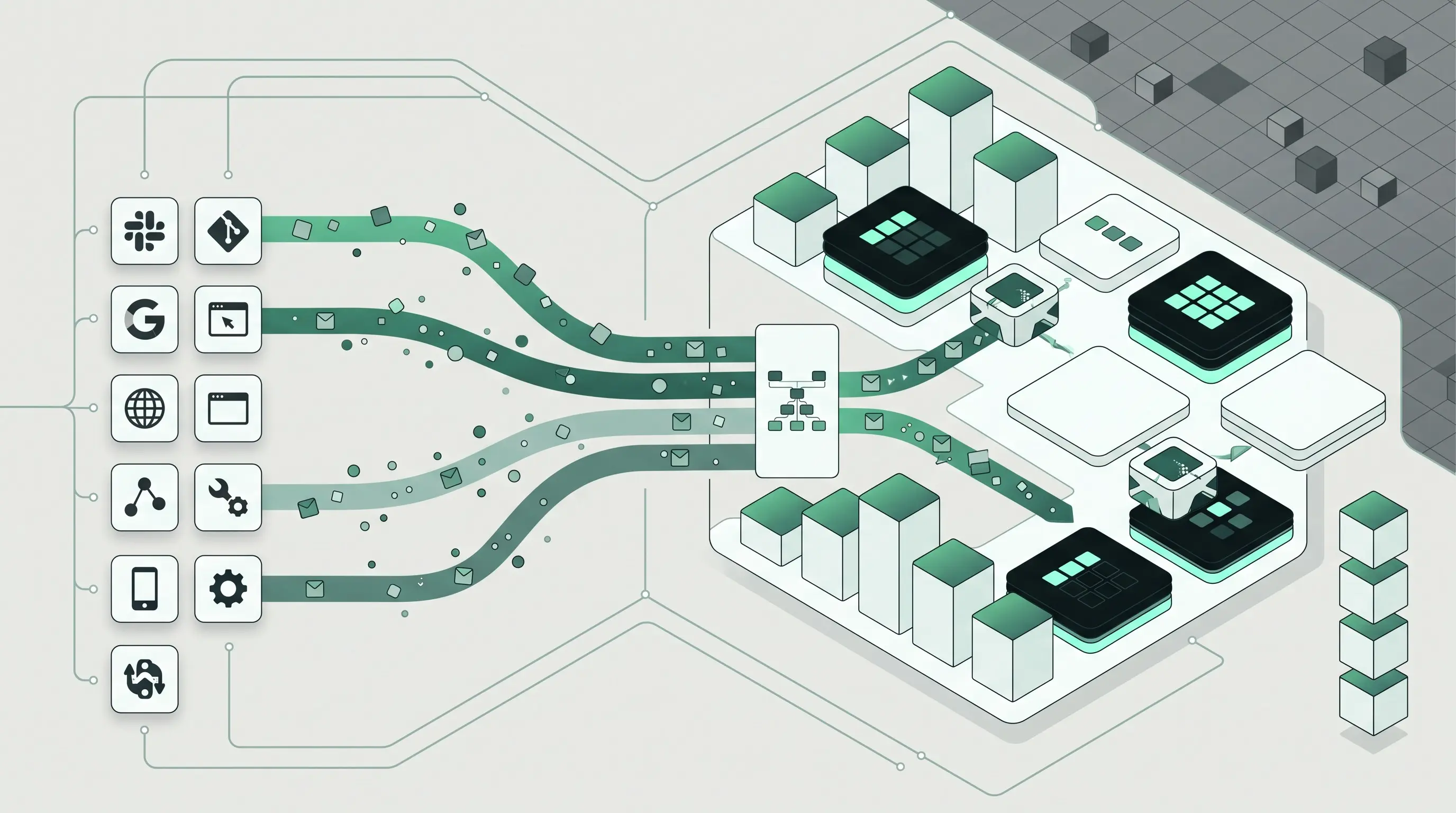
At a high level, an Axon is a cloud-based session with multi-user streaming, durable history, structured state, and event-driven wakeups built in. Axons are designed for teams building agentic workflows across engineering touchpoints: Slack, git, web apps, internal tools, mobile clients, automation systems, and the agents behind them.
The reality is that most agentic workflows start life as promising demos or small, isolated projects. Almost as soon as they start to become popular, they start to fray as complexity and scale increases. Once a workflow spans multiple clients, multiple users, or multiple agents, the infrastructure running the workflow starts to become critical to success. Teams quickly discover that they need a shared source of truth for state, events, and execution history. They also need a way to pause work when nothing is happening and resume it immediately when the next event arrives.
Axons are built for exactly that.
Meet Axons: the infrastructure layer for coordinating agentic workflows
Axons add a durable coordination layer for agentic applications. Instead of treating each agent invocation as an isolated request, Axons give teams a shared session and event stream that many clients and agents can participate in over time.
The simplest way to think about an Axon is this:
This model fits the reality of production workflows. A support triage flow might start in Slack, continue in a web console, trigger actions in backend systems, and require an agent to pick work back up later. An engineering automation flow might receive CI events, repository signals, and human approvals over hours or days. In both cases, the workflow needs a durable center.
A simplified architecture looks like this:
┌──────────────┐      ┌──────────────┐      ┌──────────────┐
│ Slack Client │      │   Web App    │      │ Mobile/Admin │
└──────┬───────┘      └──────┬───────┘      └──────┬───────┘
       │                     │                     │
       └──────────────┬──────┴──────────────┬──────┘
                      │                     │
               ┌──────▼─────────────────────▼──────┐
               │               Axon                │
               │  Shared session + event stream    │
               │  History + audit + SQLite state   │
               └──────┬─────────────────────┬──────┘
                      │                     │
              ┌───────▼───────┐     ┌──────▼────────┐
              │ Agent Sandbox │     │ Agent Sandbox │
              │   (Claude)    │     │  (ACP agent)  │
              └───────────────┘     └───────────────┘
For teams building agentic products, this changes the unit of design. Instead of centering everything around a single prompt-response loop, Axons center the system around a session that can evolve, pause, resume, and be observed safely by many participants.
Why existing agent stacks break down as you scale
The main problem isn’t model quality: it’s coordination.
In many early implementations, agent state ends up scattered across prompt memory files, chat transcripts, application databases, job queues, and custom logs. That can work for one user and one agent. It becomes fragile once multiple clients and systems need to share the same workflow.
A few failure modes show up quickly:
- State fragmentation: one part of the system knows the message history, another knows task status, and a third knows user metadata
- Multi-client inconsistency: Slack, web, and backend automations don’t have a clean shared view of what happened
- Weak auditability: teams can’t easily reconstruct why an agent took an action
- Poor replayability: debugging means stitching together logs from several systems
- High idle cost: long-lived agents stay running even when there’s no work to do
This gets more painful as workflows become more operationally important. If an agent is touching engineering systems, customer workflows, or internal approvals, teams need reliable session history and clear ownership of context. Executives care because these systems affect cost, risk, and service quality. Developers care because fragmented architecture is hard to build & reason about and even harder to maintain.
Another common challenge is always-on compute. Many workflows are bursty. An agent may do work for 30 seconds, then wait 10 minutes for a human reply, a webhook, or a system event. Keeping the full runtime alive during that idle time is wasteful. But tearing everything down often means losing state or rebuilding too much on resume.
Axons address both sides of this problem: they provide a durable coordination layer, and they pair that layer with Runloop's lightening-fast suspend-and-resume Devbox execution.
How Axons solve agent coordination, context, and lifecycle
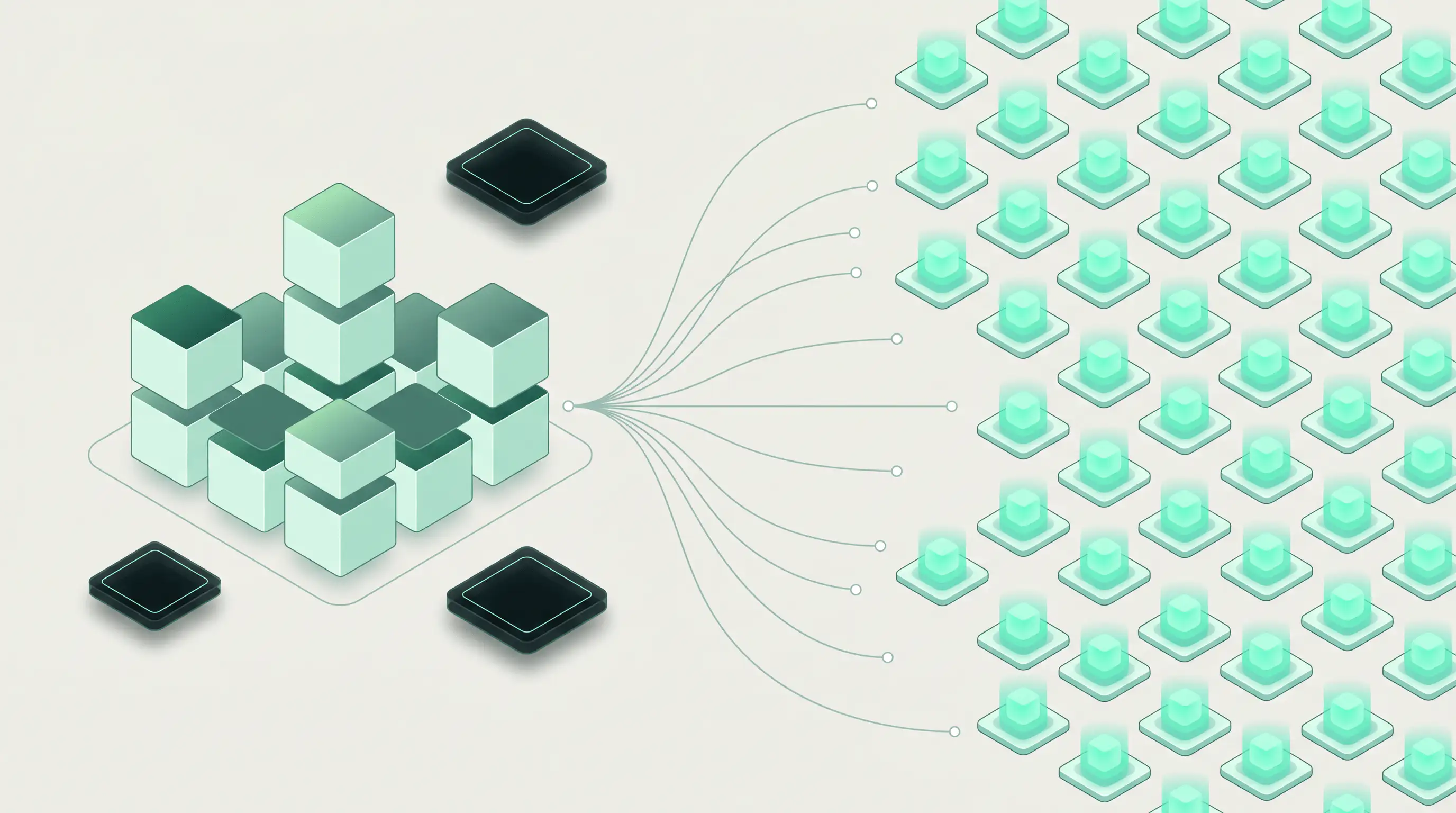
Axons are distributed event streams designed to run agents at scale. That means a single pattern can support one agent or thousands of agents across many concurrent sessions, without changing the mental model.
Each Axon provides a durable stream of events and a place to keep structured workflow state. Rather than relying on a flat memory file, Axons include a SQLite database that can store arbitrary agent and application data in a schema the team controls. This is a better fit for production systems because context can be structured, queried, versioned, and selectively injected into the agent only when needed.
That last point is important: not all stored state belongs in the model context. With Axons, the application decides what to pass into the agent and when. That improves control over prompt size, relevance, and cost.
Axons also use Runloop Devboxes with fast suspend and resume. Agents can idle when they’re not being used, then wake up and continue from where they left off when the next event arrives. In practice, that makes long-lived workflows much more cost-efficient without forcing teams to rebuild their own checkpointing system.
Finally, Axons keep full session history. This means that out of the box you get support for:
- Audit trails for compliance and internal review
- Replayability for debugging and testing
- Operational visibility into how a workflow evolved over time
Example: setting up structured state in an Axon
The exact application schema will vary, but the pattern is straightforward: use the Axon-backed SQLite database to store structured workflow state, then choose what to inject into the agent context.
Below is a minimal TypeScript example showing a SQLite schema for a triage workflow. This example focuses on the database layer because that’s one of the key infrastructure differences between Axons and a basic memory-file approach.
import Database from "better-sqlite3";

type AgentContextRow = {
  id: string;
  status: string;
  priority: string;
  summary: string;
  notes: string | null;
};

// Axons include a SQLite database for structured session state.
// This example shows the kind of data model an application can keep
// alongside the event stream.
const db = new Database("axon-state.db");

// Track open workflow items
db.exec(`
  CREATE TABLE IF NOT EXISTS tickets (
    id TEXT PRIMARY KEY,
    customer_id TEXT NOT NULL,
    status TEXT NOT NULL,
    priority TEXT NOT NULL,
    summary TEXT NOT NULL,
    updated_at TEXT NOT NULL
  );

  CREATE TABLE IF NOT EXISTS workflow_notes (
    id INTEGER PRIMARY KEY AUTOINCREMENT,
    ticket_id TEXT NOT NULL,
    note_type TEXT NOT NULL,
    content TEXT NOT NULL,
    created_at TEXT NOT NULL
  );
`);

// Save structured state into the session store
const upsertTicket = db.prepare(`
  INSERT INTO tickets (id, customer_id, status, priority, summary, updated_at)
  VALUES (@id, @customer_id, @status, @priority, @summary, @updated_at)
  ON CONFLICT(id) DO UPDATE SET
    customer_id = excluded.customer_id,
    status = excluded.status,
    priority = excluded.priority,
    summary = excluded.summary,
    updated_at = excluded.updated_at
`);

upsertTicket.run({
  id: "TCK-1024",
  customer_id: "cust_123",
  status: "awaiting_agent",
  priority: "high",
  summary: "Billing export fails for large CSV downloads",
  updated_at: new Date().toISOString(),
});

const insertNote = db.prepare(`
  INSERT INTO workflow_notes (ticket_id, note_type, content, created_at)
  VALUES (@ticket_id, @note_type, @content, @created_at)
`);

insertNote.run({
  ticket_id: "TCK-1024",
  note_type: "human_summary",
  content: "Customer reports timeout after ~2 minutes; issue is reproducible.",
  created_at: new Date().toISOString(),
});

// The application chooses exactly what state to inject into the agent.
// This avoids dumping the entire database into the prompt context.
const loadAgentContext = db.prepare(`
  SELECT
    t.id,
    t.status,
    t.priority,
    t.summary,
    GROUP_CONCAT(n.content, '\n') AS notes
  FROM tickets t
  LEFT JOIN workflow_notes n ON n.ticket_id = t.id
  WHERE t.id = ?
  GROUP BY t.id, t.status, t.priority, t.summary
`);

const agentContext = loadAgentContext.get("TCK-1024") as AgentContextRow | undefined;

console.log("Context to inject into agent:");
console.log(agentContext);
This approach gives teams a cleaner boundary between application state and model context.
Before, a workflow might rely on a single persistent memory file:
const memory = `
  Customer issue: Billing export fails.
  Priority: high.
  Status: awaiting_agent.
  Note: timeout after 2 minutes.
`;
After, the same workflow can keep data structured and inject only what matters:
const agentContext = {
  id: "TCK-1024",
  status: "awaiting_agent",
  priority: "high",
  summary: "Billing export fails for large CSV downloads",
  notes: "Customer reports timeout after ~2 minutes; issue is reproducible.",
};
This improves consistency, keeps context deliberate, and makes state usable outside the model as well.
Built into the Runloop ecosystem and compatible with your agents
Axons work with the broader Runloop ecosystem out of the box.
That matters because production agent systems usually need more than model access. They need secure access to secrets, tool routing, controlled network boundaries, and platform-level audit features. Instead of wiring those pieces together from scratch, teams can use the existing Runloop components around Axons.
Key integrations include:
- Devboxes for fast startup and isolated execution with suspend and resume
- Agent and Object Mounts to pre-load agents and arbitrary files and directories onto the Devbox
- Secrets for secure credential access
- Agent Gateway for managed agent access patterns
- MCP Gateway for tool access through the Model Context Protocol (MCP)
This means teams can move faster while keeping infrastructure boundaries clear. Security hooks and operational controls are part of the system design, not afterthoughts.
Axons are also flexible about the agent runtime itself. They support Claude & ACP protocol-compatible agents, like OpenCode.
That gives teams room to evolve their stack over time. A team might start with one hosted model path, then add ACP-compatible agents for specialized workflows later, without needing to replace the session and event infrastructure underneath. You can even bring your own agent and hook it into your build pipeline to ensure the latest version is used by the Axon every time.
Pay only for what you use
Importantly, with Axons, events can wake up agents. This makes event-driven automation practical across engineering systems and user-facing products. A webhook, a Slack reply, a mobile action, or an internal state change can all become the signal that resumes work in the right session. Devboxes can automatically go idle when unused, then wake back up and resume work seamlessly.
A preview of the upcoming SDK: the easiest way to put Axons to work
Axons are the infrastructure layer. The companion SDK is the ergonomic layer on top.
The SDK is designed for teams that want the benefits of Axons without managing the lower-level details directly. It can spin up agents at scale, from one to thousands, with each agent running in its own sandbox. Multiple clients can listen to and participate in the same session, and agents can sleep between events and resume when work returns.
A practical example is a shared support workflow:
- A customer opens an issue from a web app
- A support engineer joins the same session from Slack
- An agent investigates in its own sandbox
- The agent suspends while waiting for a human decision
- A new Slack reply wakes the agent, which resumes in the same session
That pattern is useful well beyond support. It maps cleanly to engineering triage, code review assistance, deployment workflows, incident response, and internal operations.
Example: an Axon-backed multi-client workflow with the SDK
The SDK will be covered in more depth in a follow-up post. For now, here’s a simple example of the experience it enables.
Note: this snippet is a preview-style example for the Remote Agents SDK described in this announcement. For full Axon documentation, see the official docs:
import { EventEmitter } from "node:events";

// helper types
type AxonEvent =
  | { type: "message"; source: "web" | "slack" | "agent"; text: string }
  | { type: "status"; value: "active" | "suspended" | "resumed" };

class DemoAxonSession extends EventEmitter {
  public history: AxonEvent[] = [];
  public suspended = false;

  publish(event: AxonEvent) {
    // Human replies wake the workflow before the message is delivered.
    // That keeps listeners from seeing a new inbound message while suspended.
    if (this.suspended && event.type === "message" && event.source !== "agent") {
      this.suspended = false;
      this.emitEvent({ type: "status", value: "resumed" });
    }
    this.emitEvent(event);
  }

  suspend() {
    // Avoid duplicate "suspended" events if suspend() is called twice.
    if (this.suspended) return;
    this.suspended = true;
    this.emitEvent({ type: "status", value: "suspended" });
  }

  private emitEvent(event: AxonEvent) {
    this.history.push(event);
    this.emit("event", event);
  }
}

// Represents the kind of session model the upcoming SDK will simplify.
const session = new DemoAxonSession();

// Slack client subscribes.
session.on("event", (event: AxonEvent) => {
  console.log("[slack listener]", event);
});

// Web app subscribes.
session.on("event", (event: AxonEvent) => {
  console.log("[web listener]", event);
});

// Agent loop.
async function runAgent() {
  session.publish({
    type: "message",
    source: "agent",
    text: "I checked recent billing export failures and need human confirmation before proceeding.",
  });
  // Agent goes idle instead of staying fully active.
  session.suspend();
}

async function main() {
  session.publish({
    type: "message",
    source: "web",
    text: "Customer reports CSV export timeout for large files.",
  });

  await runAgent();

  // Later: a human replies in Slack, which wakes the workflow back up.
  session.publish({
    type: "message",
    source: "slack",
    text: "Confirmed: issue reproduces only for exports above 100MB.",
  });

  session.publish({
    type: "message",
    source: "agent",
    text: "Resumed investigation with the new constraint. Next step: inspect export worker timeouts.",
  });
}

main().catch(console.error);
This example is intentionally minimal, but it shows the core model:
- A single session shared across clients
- Multiple listeners consuming the same stream
- Agent activity recorded in session history
- Suspend/resume behavior driven by incoming events
That is the experience the SDK is intended to make simple. This post focuses on the underlying foundation; the follow-up will showcase the fastest path to using it in an application.
Getting started
If you’re designing agentic workflows that span multiple clients, long-lived sessions, and real operational requirements, Axons are the new foundation to look at first.
Axons are a good fit when you need:
- Shared session state across agents and clients
- Structured context instead of ad hoc memory files
- Durable event history with auditing and replay
- Event-driven wakeups for long-lived workflows
- Suspend/resume execution to reduce idle runtime cost
- Integration with Runloop infrastructure and security controls
Get started by checking out the Axon documentation.
Conclusion
Axons introduce a durable coordination model for running agents in production.
They combine a distributed event stream, structured SQLite-backed session state, suspend-and-resume execution on Runloop Devboxes, and full audit history in a single infrastructure layer. For teams building agentic workflows across Slack, web, mobile, and internal systems, that means less glue code, better control over context, and a clearer path to operating agents at scale.




.png)